Free Google Business Profile Grader: Check Your Score
What the free grader checks, what your score out of 100 means, and which gap to fix first.

Arkan Mathrick, Founder of AchieveRankNov 2, 2026 · 5 min read
Share
Your Google profile scoreOut of 100
- Completeness and reviews
- Photos and website speed
- Nearby competitors
Review momentumRecent reviews still coming in
PhotosReal, recent images
Website speedFast on a phone
Direct answer: most customers will see your Google listing before they ever see your website, so if that listing is incomplete, poorly reviewed, or slow to load, you can lose the customer before they ever call you.
Direct answer: this is a free tool. Grade my business free (no signup, no card). That link goes directly to the grader, not to a sales page. The grader page states that it is free, with no login and no credit card.
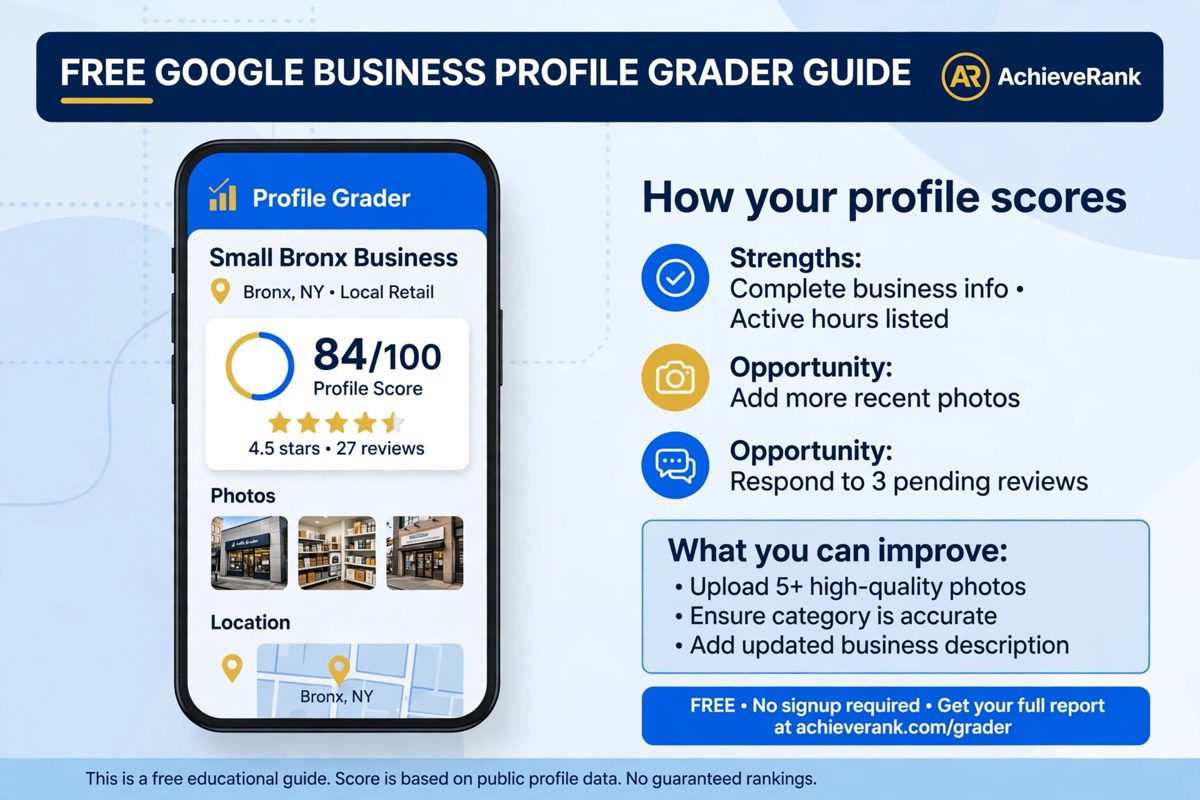
The basicsIs my Google Business Profile good?
Direct answer: a good listing is complete, reviewed often, and recent. A business with no reviews, old photos, or wrong hours looks risky, even if the work is excellent. A listing that shows strong recent reviews, clear photos, and correct details looks safe to contact.
Think of this guide as a free GMB grader walkthrough. It explains what the score checks, what to fix first, and how to use the result without overthinking it. The grader gives a score, and this guide gives the order to fix it.
Local searchHow local search results actually work
Direct answer: Local search results are different from normal web results. Google ranks local businesses by relevance, distance, and prominence, not just by website content.
Map ranking is a local search ranking that shows which businesses appear for “near me” searches. It is not the same as a normal search ranking. Google ranks them by how complete, how close, and how well reviewed they are.
Ask yourself:
- Are your details easy to find?
- Is it clear what you sell?
- Do you look trustworthy at a glance?
- Are you easy to contact?
The six checksWhat a Google Business Profile check covers
Direct answer: A Google Business Profile check covers six points. It gives one score out of 100 and a breakdown you can work through.
1. Profile completeness
Direct answer: completeness means your name, category, hours, services, description, and attributes are filled in and accurate. A half finished listing looks unfinished to a customer, and it gives Google less to match to a search.
Your business details are the foundation. Use the correct name, hours, and category.
Add a clear description of what you do. Say who you serve and where you work. Avoid exaggeration.
2. Reviews and rating
Direct answer: reviews and rating mean how many reviews you have, what your star rating is, and whether you reply. Customers read reviews before they call, and a company with no recent reviews looks quiet, even if it is busy.
3. Review momentum
Direct answer: review momentum means reviews are still coming in, not stopped months ago. A steady flow of recent reviews is stronger than a high rating from two years ago with nothing since, because customers trust recent experience more than old experience.
4. Photos
Direct answer: photos mean real, recent images of your work, team, and location, not only a logo. Customers trust what they can see. Add real photos, if you can, and do not use photos that are not yours.
5. Website speed
Direct answer: website speed means your site loads quickly on a phone, measured here by Google PageSpeed Insights, alongside public Google Places data for your listing. Most local searches happen on phones, and a slow site loses the customer you just won on maps.
6. Nearby competitors
Direct answer: nearby competitors mean up to 10 nearby companies, compared on reviews and ratings, not on claimed search positions. This is not about copying them. It is about seeing the gap clearly: if a nearby company has many recent reviews and you have few, that gap is your first job.
This is a free GMB check in plain language, not a 40 page document. Run it, get your Google Business Profile score out of 100, and work the gaps in the order the breakdown gives you. This grader is a checker tool, not a tracking tool, and that distinction matters for the next section.
Use the Google Business Profile grader: https://achieverank.com/free-google-business-profile-grader/
Done for you
Want help fixing your Google Business Profile?
We optimize categories, services, photos, posts and the review process for Bronx businesses, then keep the profile current.
OptimizationHow to optimize your Google Business Profile
Direct answer: optimizing your Google Business Profile means making your listing more complete, more trustworthy, and easier to contact.
Profile optimization in this guide is simple. It is not a trick or a hack. It is a set of small fixes, in the right order.
- Are your hours and service area correct? That is the first place people check.
- Do you have at least one strong photo for each main service? A good photo can do more than a long list of words.
An optimized Google Business Profile is one where customers can find the facts, trust the reviews, and contact you without friction.
You don’t set up a profile once and forget it. Reviews, photos, and hours change, so a regular check keeps the listing current.
PrioritiesWhat to fix first
Direct answer: do not try to fix everything at once. Start with the biggest gap, then move to the next one.
One scan is enough to find the first gap. Fix that gap, then check again. This keeps the work simple, and it avoids the trap of fixing small details while a big gap stays open.
QuestionsFrequently asked questions
Is it truly free?
Direct answer: yes, to use the grader and see your result, with no purchase of an AchieveRank service needed. This is not a paid report, and no card is needed to see the result.
How to audit a Google Business Profile?
- They check completeness.
- They check review count and rating.
- They check review momentum.
- They check photos.
- They check website speed.
- They check nearby competitors.
Do I need to sign up to grade my business?
Direct answer: no. Your Google Business Profile score is free to check. You do not need to create an account to see it, and you do not need to pay to see the result.
Wrap upStart with the first gap, not everything at once
Use this free gmb audit to see your score, then fix the first gap it shows. A small fix can lift trust, and a trusted listing gets more calls. The score is a starting point, not a final judgment.
Free review
Get a Free SEO Review From AchieveRank
Want a second pair of eyes on your profile and your website? AchieveRank can review both and show you what to fix first.
Arkan is the founder of AchieveRank, a Bronx-based marketing agency at 1347 Taylor Ave offering local SEO, link building, AEO, GEO and WordPress website design for businesses of every size.
On this page
Free tool
Get a free score and a clear list of fixes for your Google Business Profile.
Related services
Keep reading
More ways to grow your local visibility
Google Business Profile
Categories, services, photos, posts and a steady review process, kept current every week.
Local SEO
Get found on Google Search, Google Maps and AI answers, with clear monthly plans.
Case studies
Rank grids, Search Console data and before-and-after screenshots in our portfolio.